· Jane Iamias · security questionnaire automation · 24 min read
A UK Guide to Security Questionnaire Automation
Discover how security questionnaire automation saves time, reduces errors, and strengthens compliance for UK businesses. Learn how to implement your solution.

At its core, security questionnaire automation uses clever, AI-powered software to tackle security assessments, due diligence forms, and RFPs. Instead of the soul-destroying task of manually copying and pasting answers from old spreadsheets, these tools pull information from a central knowledge base. The result? You can fill out questionnaires in minutes, not days, giving your expert teams their valuable time back for more strategic work.
The Problem with the Manual Grind

If you’re working in a security, compliance, or sales engineering role in the UK, you know that sinking feeling. A 300-question security spreadsheet lands in your inbox, and you can practically hear the clock ticking. It’s a clear signal that days of tedious, repetitive work are ahead, spent chasing down subject matter experts and digging through endless folders for the right documents.
This manual grind is far more than just an annoyance. It’s a massive drain on your company’s most valuable resources. Your highly skilled security professionals get bogged down with admin, pulling their focus from critical initiatives like threat modelling and incident response. It’s not just inefficient; it’s a fast track to burnout.
The True Cost of Manual Questionnaires
The constant pressure to complete these assessments quickly and accurately creates a seriously high-stress environment. It’s no wonder, then, that search interest in security questionnaire automation has shot up by 400% year-on-year in the UK. This reflects a much bigger picture; the Health and Safety Executive reported that over 776,000 UK workers suffer from work-related stress, with repetitive tasks being a major cause.
This is where automation comes in, often slashing completion times by up to 90%. It’s a clear and direct solution to this immense workload pressure. The sheer manual effort involved in vendor assessments frequently causes delays and inconsistencies, which can introduce risk. This detailed guide to third-party risk management does a great job of explaining the critical role automation can play in shoring up this process.
The difference between a manual and an automated approach is night and day. Let’s break down what that really looks like.
Manual vs Automated Questionnaire Workflows
| Metric | Manual Process | Automated Process |
|---|---|---|
| Time per Questionnaire | Days or weeks of coordinated effort | Minutes to a few hours |
| Team Involvement | Multiple subject matter experts (SMEs) pulled from their core duties | Primarily one person managing the process, with SMEs for review only |
| Accuracy & Consistency | High risk of human error, outdated answers, and inconsistencies | High accuracy with answers pulled from a single, approved source |
| Cost | High operational cost (SME hours, lost productivity) | Lower operational cost, higher ROI over time |
| Team Morale | Low morale, burnout, frustration with repetitive tasks | Higher morale, team feels more strategic and valued |
As you can see, the benefits go far beyond just saving time. It’s about fundamentally improving how your team operates.
Shifting from Reactive to Proactive Security
Moving away from manual processes is about more than just efficiency; it’s about changing your team’s entire focus. It allows them to shift from being reactive data-entry clerks to becoming proactive security strategists. By automating the bulk of the response work, you empower your team to concentrate on what actually matters.
This transition allows experts to spend their time verifying nuanced answers, managing exceptions, and improving the underlying security posture, rather than just documenting it.
This guide is here to walk you through the practical steps of putting a security questionnaire automation strategy into practice. We’ll cover everything from assessing your current process and building a solid knowledge base to choosing the right tools and measuring your return on investment. It’s all about helping you reclaim your team’s time and strategic focus.
Laying the Groundwork for Automation

It’s tempting to dive headfirst into software demos when you decide to automate security questionnaires. I’ve seen it happen time and again, and it’s a classic mistake. A truly successful automation project needs a solid foundation, and skipping this groundwork is like building a house on sand.
Before you even glance at a vendor’s website, you need to conduct a thorough internal audit of your current process. This isn’t about creating more bureaucracy; it’s about getting crystal clear on where the real pain points are. The aim is to identify the bottlenecks and the biggest time-wasters that are holding you back.
Here’s a simple but powerful exercise: for one week, ask your team to informally track their time. How many hours are spent just hunting down the right subject matter expert (SME)? What’s the average wait time for an approved answer to a new question? The results will probably surprise you, and this hard data is exactly what you need to build your business case.
Assemble Your Cross-Functional Team
Answering security questionnaires isn’t just a security problem. It’s a business problem. It slows down sales cycles, erodes customer trust, and drains resources from all over the company. Trying to push a solution through from a single department is a recipe for failure.
You need to pull together a small, dedicated team with people from the key departments who feel this pain. This isn’t just about getting buy-in; it’s about seeing the problem from every possible angle from the very start.
Your team should include:
- Security & Compliance: They’re at the heart of this. They live and breathe the manual process and understand all the technical and regulatory details behind every answer.
- Sales & Sales Engineering: Your sales team is on the front line, feeling the direct impact of slow questionnaire turnarounds. They know which deals are stalling and what prospects are constantly asking.
- Legal & Procurement: This group is vital for understanding contractual obligations and the risks tied to your security posture. They are also key players in the whole vendors due diligence process you’re trying to fix.
- IT & Engineering: These are your primary SMEs. Bringing them in early ensures the information you’re automating is accurate and that any new tool will actually work with your existing systems.
Getting these different perspectives in one room is crucial. It elevates the project from “just another security tool” to a strategic initiative that benefits the entire business.
Build a Compelling Business Case
With your audit data in hand and your cross-functional team assembled, you’re ready to build a business case that’s about more than just money. Yes, cost savings are important, but the real value here is in slashing risk and boosting operational efficiency.
Your business case needs to tell a story. It’s not just about the cost of new software; it’s about the staggering cost of doing nothing—the thousands of expert hours wasted, the deals stuck in limbo, and the burnout of your best people.
Focus on putting a number on the intangible problems. Frame your argument around these key pillars:
- Reclaiming Expert Hours: Use the data you gathered to calculate the hours your senior security and engineering staff are losing to questionnaires every month. Multiply that by their loaded cost to get a hard figure that will grab attention.
- Accelerating Sales Cycles: Chat with the sales team. Find out how many days, on average, a deal is held up waiting for a security review. This delay has a direct impact on when you can recognise revenue.
- Reducing Organisational Risk: A centralised, approved knowledge base isn’t just about speed. It’s about consistency. Emphasise how it dramatically reduces the risk of sending out incorrect or outdated answers, which can have serious legal and reputational fallout.
When you present the problem this way—as a direct barrier to revenue and a source of unnecessary risk—the decision to invest becomes a logical and urgent priority for any leadership team.
Building Your Central Knowledge Base
The success of any security questionnaire automation platform hinges entirely on the quality of information you feed it. Don’t think of this as just buying a tool; you’re essentially hiring an incredibly fast, detail-obsessed assistant. And just like any assistant, they need the right information to do their job well. This is where your central knowledge base comes in—it has to be the single source of truth that powers everything.
Simply creating a shared folder and dumping in old responses won’t cut it. That’s a surefire way to get inconsistent, outdated, and frankly, risky answers. A proper knowledge base is a living library of your organisation’s security posture, carefully curated and approved. It’s the engine of your whole automation strategy, so building it thoughtfully is the most critical part of this process.
When you get this right, you’ll have a repository where every possible question about your security and compliance has a pre-vetted, accurate answer ready to go. This is what allows the automation tool to confidently auto-fill 80-90% of incoming questionnaires.
Gathering Your Core Documentation
Your first job is to become an information archaeologist. Right now, your company’s security knowledge is probably scattered across different departments, saved in various formats, and owned by a dozen different people. Your mission is to bring it all home.
Start by tracking down these key documents:
- Existing Security Policies: This means your Information Security Policy, Acceptable Use Policy, Data Classification Policy, and your Incident Response Plan. These are the foundational rules of your security programme.
- Compliance Evidence and Certifications: Get your hands on the latest SOC 2 report, ISO 27001 certificate, penetration test results, and any other audit documents. These are your proof points.
- Previous Questionnaire Responses: Dig up the last 5-10 major security questionnaires your team has filled out. They are a goldmine of real-world questions and answers your experts have already put time into crafting.
- Technical Architecture Diagrams: High-level diagrams showing data flows, network segmentation, and your cloud environment are incredibly valuable for answering those nitty-gritty technical questions.
This initial treasure hunt can feel a bit overwhelming, but it’s an essential first step. It forces you to map out where all this institutional knowledge actually lives and who the real subject matter experts (SMEs) are for each domain. If you want to go deeper on this, there are some great best practices for knowledge management that can help.
Organising and Structuring Your Answers
With your raw materials gathered, it’s time to structure them for automation. Uploading a 100-page policy document and hoping for the best won’t work. The AI needs specific, well-defined question-and-answer pairs to be effective.
Go through your source documents and break them down into individual Q&A pairs. For instance, a paragraph in your password policy about complexity should be turned into a standalone answer for a question like, “What are your password complexity requirements?”
A key takeaway here is to think like the questionnaire. Don’t just store entire policies; extract the specific, reusable answers hidden inside them. This granular approach is what separates a mediocre knowledge base from a highly effective one.
Get comfortable with tags and categories. Tagging answers by compliance framework (e.g., ISO 27001, GDPR, PCI DSS) and by topic (e.g., Encryption, Access Control, DR/BCP) makes everything incredibly easy to find. Modern platforms use this metadata to instantly pull the most relevant response, which saves a massive amount of time.
Establishing the Review and Approval Workflow
A knowledge base without clear governance will quickly become a liability filled with outdated information. This is where your cross-functional team becomes so important. You need to establish a rock-solid workflow for reviewing, approving, and updating every single answer in your library.
Here’s a practical workflow that I’ve seen work well:
- Assign Ownership: Every answer or topic area (like Networking or HR Security) needs a designated owner. This is the SME who is ultimately responsible for its accuracy.
- Set a Review Cadence: Don’t let answers go stale. Set up a mandatory quarterly or bi-annual review of all content. High-stakes topics, like your incident response plan, might even need a monthly check-in.
- Implement a Feedback Loop: Your team needs a way to flag answers that seem off or outdated while they’re working on a questionnaire. This feedback should be routed directly to the content owner to investigate and update.
This cycle of continuous improvement is what keeps your knowledge base trustworthy and current. It turns the system from a static folder of documents into a dynamic source of truth that evolves right alongside your security programme, ensuring every automated response is one you can confidently stand behind.
How to Choose the Right Automation Tool
So, you’ve organised your internal processes and your knowledge base is starting to look solid. Now comes the exciting part: finding the right automation tool to bring it all together.
The market can feel a bit crowded, and it’s easy to get bogged down in feature lists. But if you focus on a few core capabilities, you can cut through the noise and find a platform that actually solves your day-to-day problems. This isn’t just about autofilling answers; it’s about finding a strategic partner that fits right into your workflow and grows with you.
Core Features You Can’t Afford to Compromise On
When you start looking at demos, it’s easy to get distracted by flashy, nice-to-have features. But from my experience, a handful of non-negotiable capabilities form the bedrock of any worthwhile solution. Without them, you’re just buying a slightly faster version of the manual headache you’re trying to escape.
Your evaluation has to start with these fundamentals:
- Intelligent Knowledge Management: The tool needs to do more than just store question-and-answer pairs. Look for platforms that let you add rich tags, assign ownership, and set review dates. This is absolutely crucial for preventing your knowledge base from becoming a digital graveyard of outdated information.
- AI That Understands Context: The AI needs to grasp the intent behind a question, not just match keywords. A good system will suggest the best possible answers from your knowledge base, even when faced with completely new phrasing.
- Robust Spreadsheet Parsing: This one is a biggie. We’ve all seen those bespoke, monstrous Excel files with merged cells, bizarre formatting, and hidden tabs. Your tool must be able to ingest and accurately parse these non-standard spreadsheets without someone having to fix them by hand first.
If a platform nails these three, you have a solid foundation for genuine automation. If not, your team will still be bogged down with manual work, which completely defeats the purpose of the investment.
Advanced Capabilities That Truly Move the Needle
Once you’ve shortlisted vendors who have the basics covered, it’s time to dig into the advanced features. These are the capabilities that separate the good tools from the great ones—the things that will really help you scale and prove the platform’s value across the business.
A great starting point is understanding what AI automation is in this context. For instance, look for platforms that provide confidence scoring for their AI-suggested answers. This might sound small, but it’s a game-changer. It allows your team to focus their review time on the low-confidence suggestions instead of having to re-read every single line.
A great tool doesn’t just give you an answer; it gives you the ‘why’. Look for features like direct citation, where every AI-generated response links back to the exact page and sentence in your source document. This builds trust and makes the QA process incredibly fast.
Think about how the tool fits into your existing tech stack, too. Can it connect to Salesforce to pull deal information? Can it create a ticket in Jira when a subject matter expert needs to review a new question? This is what makes a tool an indispensable part of your daily workflow rather than just another login to remember.
The need for this efficiency is only growing. In the UK, the cyber security sector was recently valued at £13.2 billion, with massive investment in areas like access control that are heavily dependent on compliance documentation. This growth just highlights how critical automation is for managing the sheer volume of security questionnaires.
To help you get a clear picture of what to look for, here’s a checklist of features to consider when you’re evaluating different platforms.
Feature Checklist for Automation Platforms
This table breaks down the essential (“Must-Have”) and more advanced (“Nice-to-Have”) features you should be looking for in a security questionnaire automation tool. Use it as a scorecard during your demos and pilot programmes.
| Feature Category | Must-Have | Nice-to-Have |
|---|---|---|
| Knowledge Management | - Centralised, searchable library - Content expiry and review workflows - Q&A pair and document ingestion | - Content version history - Granular user permissions - AI-powered content gap analysis |
| AI & Automation | - Natural Language Processing (NLP) - Spreadsheet & document parsing - AI-suggested answers | - Answer confidence scoring - Automated source citation - AI that learns from user feedback |
| Workflow & Integration | - Project management dashboards - Collaboration tools (comments, @mentions) - Basic user roles | - Integration with CRM (e.g., Salesforce) - Integration with ticketing (e.g., Jira) - SSO/SAML integration |
| Reporting & Analytics | - Questionnaire completion time - AI-assist rate - Knowledge base usage stats | - ROI tracking dashboard - Team performance metrics - Trend analysis on question types |
Having this checklist handy ensures you’re making an apples-to-apples comparison and not getting swayed by a single impressive feature while overlooking a critical gap.
Running a Meaningful Pilot Programme
Never, ever buy an automation tool based on a demo alone. A polished sales pitch won’t tell you how the platform will handle your documents and your most painful questionnaires. The only way to find out for sure is to run a proper, structured pilot.
Pick your top two or three vendors and ask for a trial. Then, put them through a real-world stress test.
- Bring Out Your Toughest Questionnaire: Don’t give them an easy, standard one. Hand over that nightmare Excel sheet from a major client—the one that took your team two weeks of pain to complete last quarter.
- Provide a Limited Document Set: Give each vendor the exact same small set of your core security policies. This lets you directly compare how effectively their AI ingests information and generates accurate answers from a controlled source.
- Involve Your Actual Users: Get the security analysts and presales engineers who will live in this tool every day to participate. Their feedback on usability and workflow fit is worth its weight in gold.
By running this kind of head-to-head comparison, you’ll quickly see which platforms deliver on their promises and which are just smoke and mirrors. If you need a good starting point, our team has put together a detailed guide to help you compare security questionnaire automation tools and their key differences. Choosing the right partner here will set you up for success for years to come.
Weaving Automation into Your Daily Workflows
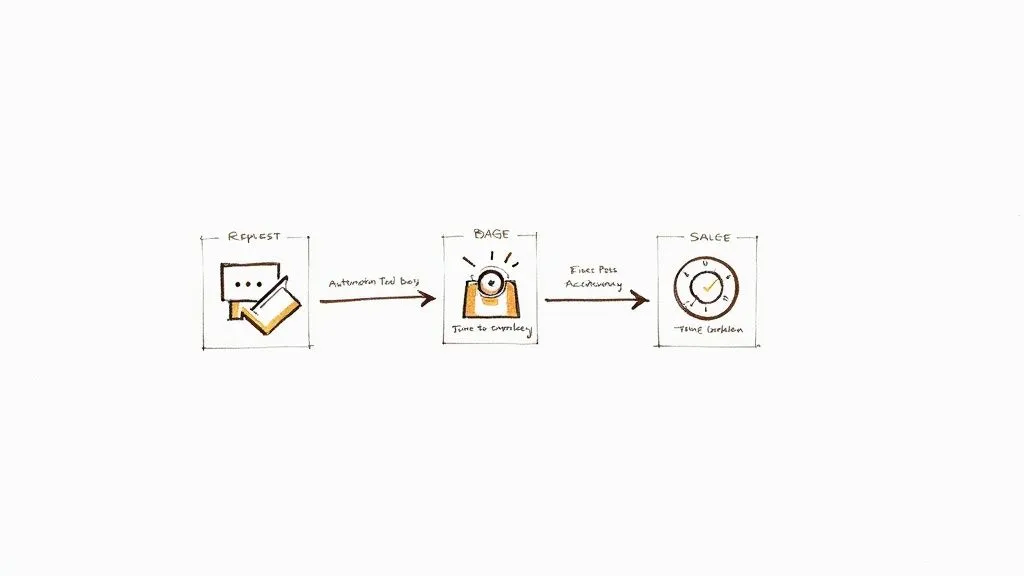
Here’s a hard truth: implementing a powerful security questionnaire automation platform is one thing, but getting your team to actually use it is a different beast entirely. An expensive tool that sits on a digital shelf is just a failed investment. Real success is when the platform becomes a reflex, an indispensable part of your team’s daily grind—not just another piece of software to log into.
This all starts by mapping out a completely frictionless handoff process. When a new questionnaire lands, who’s on point first? At what stage does it get fed into the automation tool? I’ve found the best approach is to have the sales or account team create a new project in the platform the second they receive a request. That simple action should then trigger an automatic notification to the designated response manager, kicking off a standardised workflow every single time.
The whole point is to kill the endless email chains and the “I thought you had it” moments of confusion. Your automation platform should be the single source of truth for all activity, from the initial request to the final submission. This gives everyone the visibility they need and ensures a request never gets buried in someone’s inbox again.
Connecting to Your Sales and Security Ecosystem
For an automation platform to become truly sticky, it needs to talk to the other systems your teams already live and breathe in. If your sales reps are glued to Salesforce and your security team organises their life in Jira, your tool has to bridge that gap.
Modern automation solutions come with integrations that can kick off workflows without anyone lifting a finger. Think about it:
- Salesforce Integration: A sales rep updates a deal stage to “Security Review.” This instantly creates a new questionnaire project in the automation platform, already filled out with the account and contact details. It eliminates manual data entry and makes it impossible for a request to slip through the cracks.
- Jira Integration: The platform hits a new or tricky question that needs an expert’s eye. It can automatically spin up a Jira ticket and assign it to the right engineering team. Better yet, once the subject matter expert (SME) answers it in Jira, that response can sync straight back into the knowledge base, making it smarter for next time.
These kinds of connections transform the tool from a siloed application into a vital cog in your operational machine. It meets your people where they already work, which is the secret to driving adoption and efficiency.
Measuring What Actually Matters
To prove the value of your investment, you have to track more than just vanity metrics. Sure, knowing the number of questionnaires completed is nice, but it doesn’t tell the full story. Leadership wants to see a clear return on investment (ROI), and that means tracking specific, impactful key performance indicators (KPIs).
You need to build a dashboard that tells a compelling story of efficiency, accuracy, and speed. It’s not just about doing things faster; it’s about doing them better, with less risk and a more direct impact on the bottom line.
Focus your reporting on these crucial KPIs:
- Time-to-Complete: The classic metric. Track the average time from receiving a questionnaire to sending it back. You should be aiming to see this number fall off a cliff in the first few months.
- First-Pass Accuracy: What percentage of answers get approved by the final reviewer without a single edit? A high score here—let’s aim for 90% or more—is solid proof of the quality and reliability of your knowledge base.
- SME Engagement Time: How many hours are your technical experts actually spending on these questionnaires after implementation? This metric is gold because it directly shows how you’re freeing up your most valuable (and expensive) people for higher-impact work.
- AI Assist Rate: What percentage of answers is the AI confidently pre-filling? This highlights the direct contribution of your automation engine and points you to gaps in your knowledge base.
When you present these figures, you’re proving the platform isn’t a cost centre—it’s a revenue accelerator and a risk mitigator.
Creating a Living Knowledge Base
Finally, remember that this work is never really “done.” A security questionnaire automation platform is not a slow cooker; you can’t just set it and forget it. Your security posture, products, and policies are always changing, and your knowledge base has to keep pace.
You need to establish a continuous improvement loop. After every single questionnaire is finished, hold a quick retrospective. Were there new questions that stumped the AI? Did a reviewer flag an existing answer as outdated or unclear?
Take those insights and use them to refine your knowledge base right away. This proactive maintenance ensures the platform gets smarter and more accurate with every project. It’s how you turn a static library of answers into a living, breathing asset that consistently delivers value and builds trust with your customers.
Dodging the Common Automation Pitfalls
Getting a powerful automation platform up and running can feel like you’ve crossed the finish line, but honestly, this is where some of the trickiest challenges pop up. Even with the best software in the world, a few common mistakes can quietly derail your progress and stop you from seeing the ROI you were promised.
One of the biggest culprits I see is a stale knowledge base. Think about it: your organisation is always changing. New features get launched, internal policies are tweaked, and your tech stack evolves. If your knowledge base doesn’t keep pace, the AI will inevitably start spitting out old or, worse, incorrect information. Before you know it, your team is back to manually checking every answer, and their trust in the new system is shot.
Another major hurdle? People just don’t use it. You can invest in the slickest platform out there, but if your sales engineers or security analysts find it easier to stick with their trusty old spreadsheets, the new tool will just sit there collecting digital dust. This usually happens when the software feels like an extra step rather than a natural part of their day-to-day work.
Keeping Your Automation Project on the Rails
The secret is to see these problems coming and head them off at the pass.
Don’t let your knowledge base go stale. The best way to prevent this is to build a review cadence right from the start. We recommend setting up mandatory quarterly content reviews for every single answer in the system. Go a step further and assign clear owners to specific domains—make your networking expert responsible for all network-related content, your data protection officer for privacy answers, and so on. This eliminates any confusion about who needs to keep things current.
It’s easy to fall into the trap of treating an automation tool as a ‘set it and forget it’ solution. Real, lasting value comes from building a continuous feedback loop, where the system genuinely gets smarter with every single questionnaire it helps complete.
Now, to tackle low adoption, you need to find your internal champions. In my experience, identifying a couple of enthusiastic users on both the security and sales teams can make all the difference. These are the people who will advocate for the platform and help their colleagues when they get stuck. It also helps to make the tool an official, non-negotiable part of your process for kicking off and tracking every security review.
Finally, resist the urge to let the AI run wild without any oversight. A human-in-the-loop approach is absolutely critical for quality assurance. Remember, the goal of security questionnaire automation isn’t to replace your experts. It’s to give them superpowers—freeing them from the monotonous, copy-paste tasks so they can focus their brainpower on strategic reviews and verifying the tricky stuff.
Frequently Asked Questions
Even with the best-laid plans, you’re bound to have questions as you start automating your security questionnaire workflow. Let’s tackle some of the most common ones we hear from teams taking this step.
How much manual work is actually left?
It’s a fair question. While automation takes care of the gruelling, repetitive parts, you absolutely still need your experts in the loop. Their role just shifts from mind-numbing data entry to high-value strategic review.
Think of the AI as generating a strong first pass that handles 80-90% of the standard questions. Your team’s job then becomes validating those AI-suggested answers, adding nuance, and tackling the truly unique or strangely worded questions that always seem to pop up. It’s about quality control, not grunt work.
Can these tools really handle our company’s weird, custom spreadsheets?
Yes, and this is a huge leap forward from older tools. Modern platforms are specifically designed to parse those complex, non-standard Excel files that everyone dreads. They use AI to make sense of everything from merged cells to multi-part questions scattered across different columns.
My advice: Never take a vendor’s word for it. During a demo, give them one of your most nightmarish questionnaires to process live. It’s the fastest way to see if their tech can handle the reality of what your team deals with every day.
This ability is a deal-breaker if you work with enterprise clients, who almost always have their own bespoke templates.
What’s a realistic implementation timeline?
You can expect to be up and running in about four to twelve weeks. The part that takes the most effort isn’t the software setup – that’s usually quite fast. The real work is in gathering, cleaning up, and organising all the documents needed to build your central knowledge base.
Once that knowledge base is built, you’ll start seeing a return almost immediately. Many teams find they save a significant amount of time within the first month alone, which is great for getting everyone on board and excited about the new process.