

Create high-quality RFP responses at speed and scale
Automate the manual, repetitive tasks that slow your team down. ResponseHub creates a quality first draft of every RFP response, freeing up your team's bandwidth.






Automate RFP writing with AI
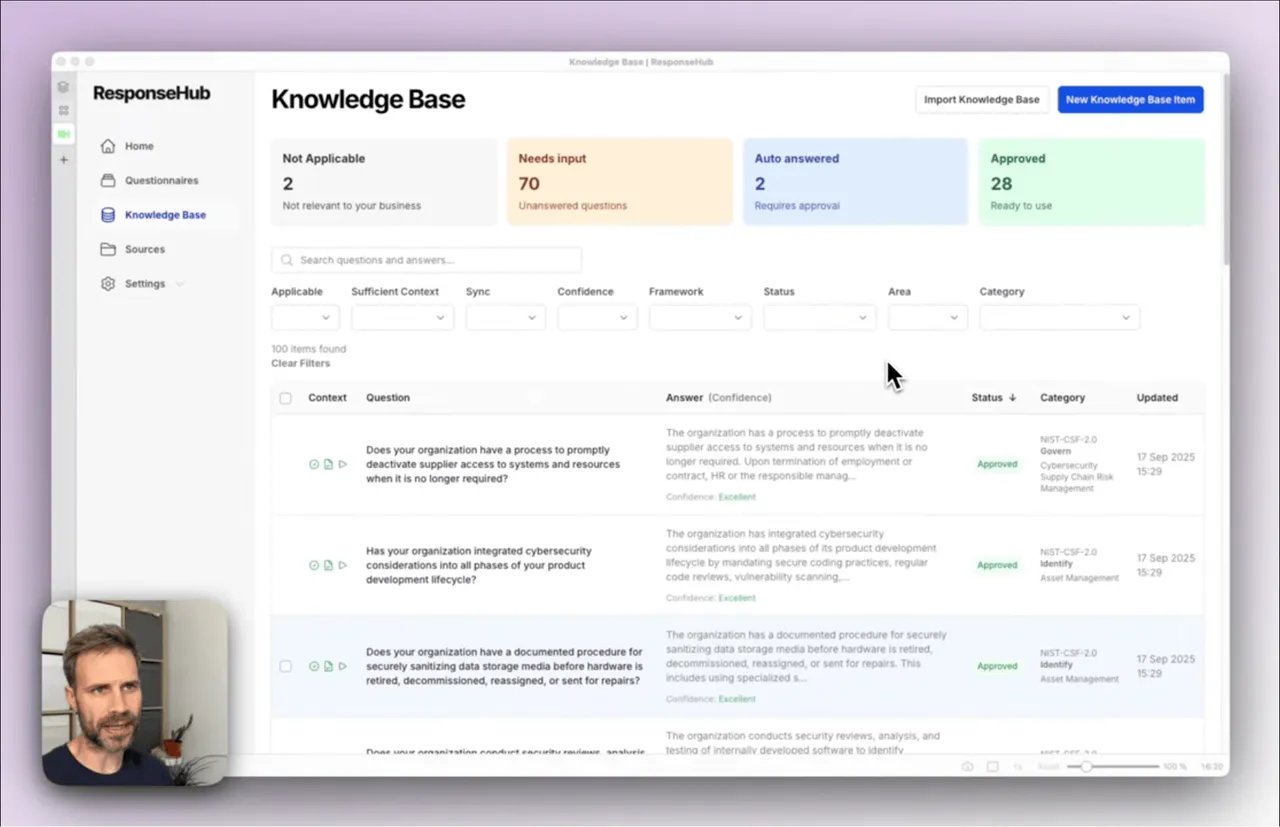
Watch the video tour to see how ResponseHub uses AI to automate RFP writing from start to finish.
Still writing RFPs by hand?
Frustrated and distracted team members. Missed deadlines. Lost tenders.
Rushing to meet deadlines
Tender deadlines are fixed, and RFPs always seem to land when the team is busiest. Rushing to get everything submitted in time means weaker bids and missed opportunities.
Tedious
Every RFP means hunting through old proposals, chasing colleagues for input and copy-pasting answers between documents. Hours of skilled people’s time lost to repetitive work.
Quality decides the win
A single weak or inconsistent answer can cost you the tender. Every response has to be accurate, well written and consistent with the rest of the bid.
The real cost of going it alone
Responding to RFPs without the right tools is slow and error-prone, and it can cost you the tender.
No source of truth
Answers live in old proposals, inboxes, and people’s heads. Every RFP becomes a fresh guessing game and inconsistencies creep in.
Hard to delegate
The people who know the answers are the busiest people in the company. Everyone else needs constant clarification, and when a big tender is on the line, you end up rechecking everything anyway.
ChatGPT can't help you
You’ve tried "throwing it into ChatGPT" but what comes back is generic AI slop: confident, vague, and nothing like how your company actually works. You can’t be sure every answer is accurate, or that you’re not committing to something you can’t deliver on.
Collaboration chaos
Documents fly around email as "final_v3_FINAL.docx". Getting colleagues to contribute answers to their questions means endless chasing, and nobody knows which version is current.
How ResponseHub automates RFP responses
Upload your documents
Drag and drop your existing proposals, policies and company documents. ResponseHub uses them as the source material for every answer.
Import your Knowledge Base
If you have an existing answer library in Notion or Google Sheets, export to CSV and import to ResponseHub. It becomes the single source of truth for every future RFP.
Upload and download your RFPs
Upload your Excel or Word file and our AI will identify and extract all questions. Once you're done answering, you can download the same file with the answers in exactly the right place.
Reuse answers across RFPs
Your Knowledge Base is always up to date with AI-suggested additions from completed RFPs and auto updates when new Sources are added.
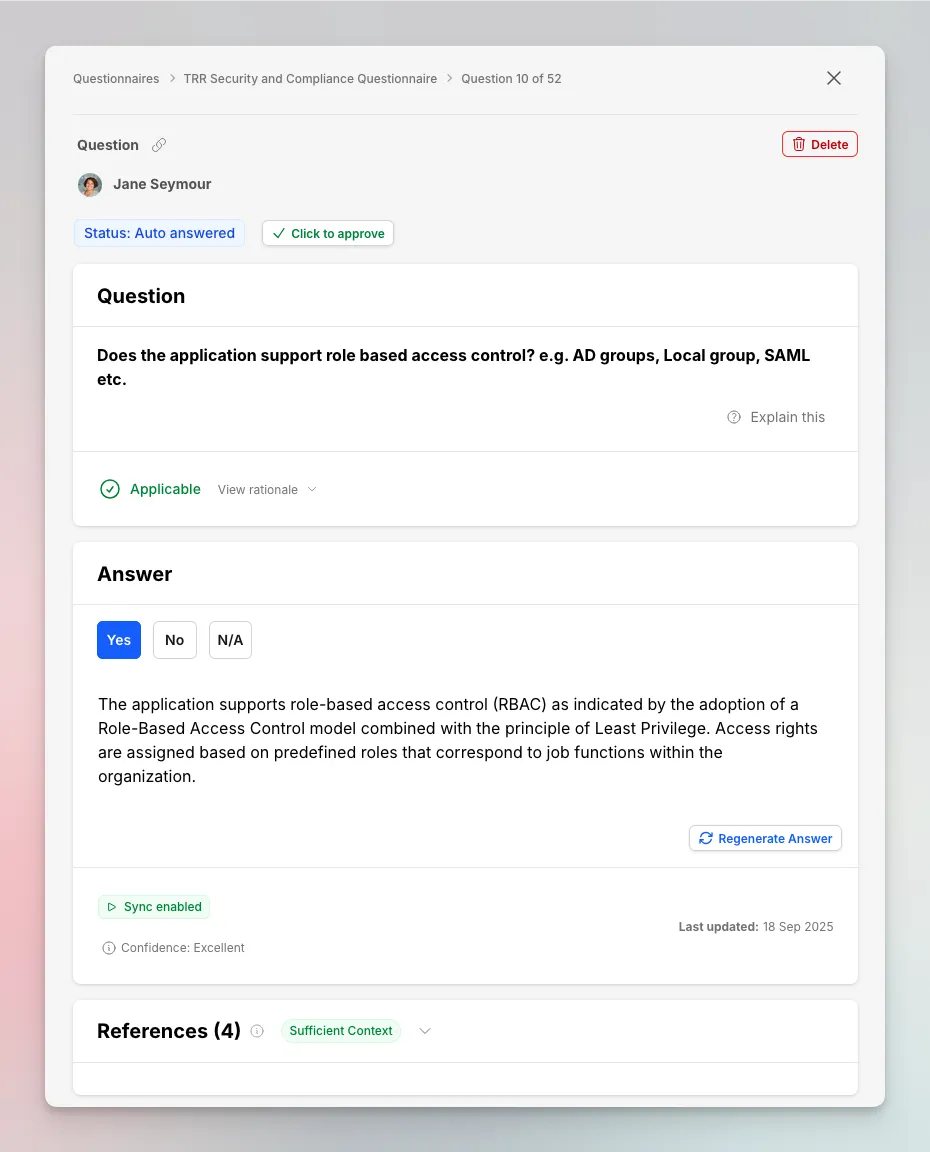
How ResponseHub handles RFPs
See how RFPs are extracted, answered from your Knowledge Base and exported back in the original format.
The RFP answers surprised us. They weren't just technically accurate, they were well written and commercially relevant.

See how AI-powered RFP responses work in practice
Get started in under 5 minutes with our self-serve trial or contact us for a demo
Why RFP software often disappoints
There are plenty of options, but many tools are built for enterprise proposal teams with enterprise budgets.
Built for enterprise proposal teams
Large tender and RFP platforms assume you have a dedicated proposal team managing a constant pipeline of bids. If you’re a lean team responding to a handful of RFPs, you’re paying for a lot you’ll never use.
Long sales processes
Some vendors require demos, procurement calls, and multi-week sales cycles, even when you just want to get started and respond to a live tender.
Opaque pricing
Watch out for tools with unclear or confusing pricing models, whether that’s “per project”, “per seat”, or usage limits that only surface once you’re mid-bid.
Feature bloat
Proposal graphics, pipeline analytics, contract management modules... big platforms bundle everything, and answering the actual questions becomes a small feature in a sprawling suite.
What surprised me was how quickly we could start testing it and seeing results. And the more questionnaires we do, the better it'll get.

Everything you need to respond, nothing you don't
ResponseHub focuses on the part that actually takes the time: answering the questions well.
Excel and Word support
Upload the RFP exactly as you received it. Our AI parser handles multi-tab spreadsheets, cover sheets and ambiguous columns, identifying and extracting every question.
Answers exported in place
Download the original document with every answer written into exactly the right cell or section. No reformatting, no copy-pasting back.
Self-updating Knowledge Base
Every completed RFP makes the next one faster. AI-suggested additions keep your answer library fresh, and it auto updates when new Sources are added.
Citation-backed answers
Every draft answer references the exact source text it came from, so reviewers can verify in seconds instead of re-researching.
Why teams move away from manual workflows and legacy RFP platforms
When RFP responses start eating weeks of team time, there are three very different ways to fix it.
The real results you'll see
Get your time back
RFP responses that used to consume days of the team’s time get done in hours, leaving time for the work that actually wins deals.
Consistent, high quality answers
Every answer is drawn from the same approved Knowledge Base, so responses are accurate, well written and consistent across the whole bid.
Respond to more tenders
When responding takes hours instead of weeks, you can bid on opportunities you used to let pass. More submissions, more wins.
Start a 7-day free trial
Start creating RFP responses today, get set up in minutes.
- 7-day free trial
- Cancel anytime
- Full product
Frequently asked questions
How can I trust the AI-generated RFP answers?
What file formats does ResponseHub support for RFPs?
How is ResponseHub different from RFP platforms like Loopio or Responsive?
How long does setup take?
Can't I just use ChatGPT for this?
Can I try before I buy?
Book a demo
Pick a time that works for you
Grab a 30-minute slot straight from the calendar — no forms, no waiting on a reply.
Book a demo