

Security Questionnaire Automation
Automate customer security reviews and RFPs. Connect to the tools you already use — Slack and MCP integrations coming soon.






Automate responses to security reviews
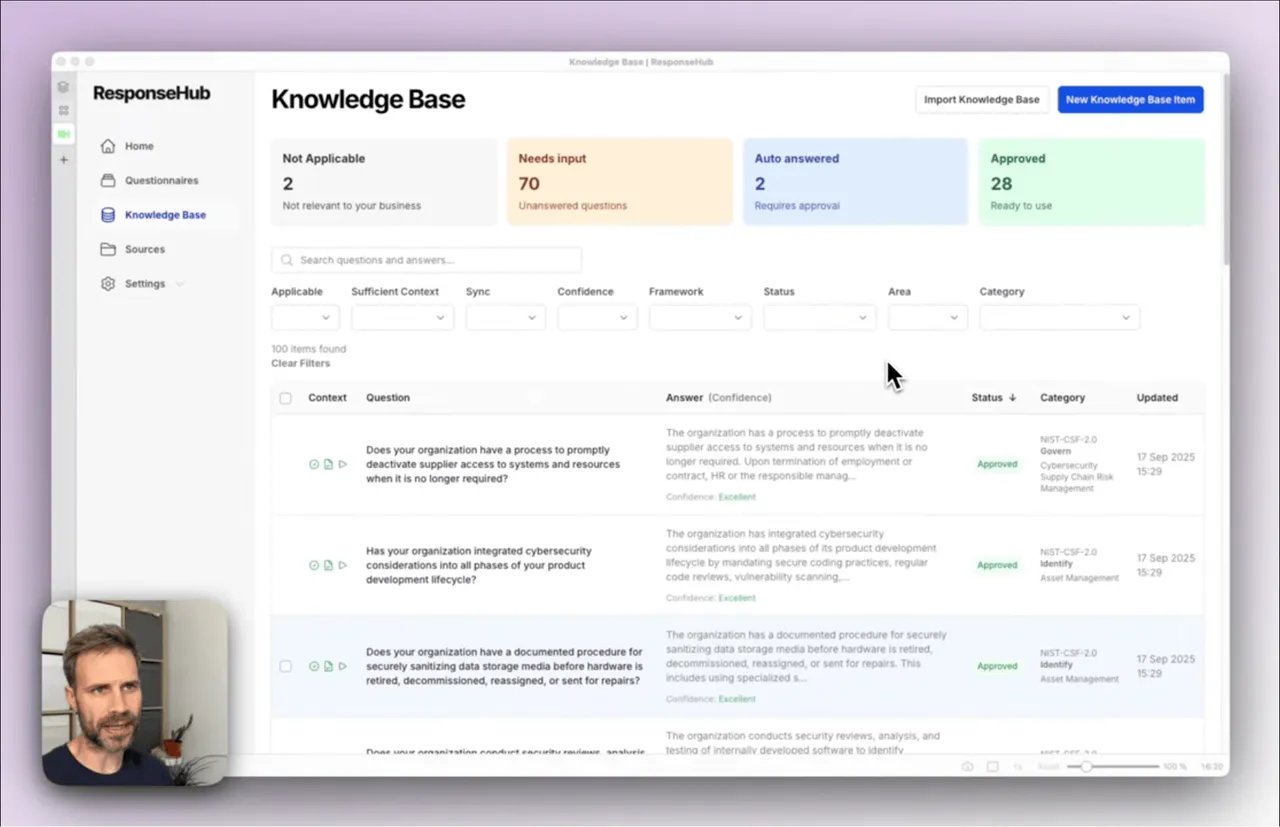
Learn how ResponseHub uses AI to automate responses to security reviews.
What are security questionnaires costing you?
Frustrated and distracted team members. Delayed deals. Lost opportunities.
Time kills deals
Typical security questionnaires take 1 to 3 days to complete, and waiting for colleagues in other departments to respond can extend this to weeks. The outcome? Delayed revenue and lost deals.
Tedious
Every questionnaire means searching answer libraries and digging through old questionnaires. The outcome: tedious, manual work and delayed deals.
High stakes
Supplying incorrect security information could have serious reputational and legal consequences — you cannot afford to get it wrong.
The real cost of doing it manually
Dealing with security questionnaires by hand is slow and error-prone, and it can cost you deals. Read: the cost of manual security questionnaire responses →
No source of truth
Answers live in old spreadsheets, inboxes, and people’s heads. Every questionnaire becomes a fresh guessing game and inconsistencies creep in.
Late nights, early mornings
There's never enough time to spend 12 hours on a security questionnaire. Stop losing your precious time to copy pasting and document wrangling.
Hard to delegate
Engineers know the code, not the security posture. Ops can help, but still need constant clarification. And when a big deal is on the line, you end up rechecking everything anyway.
ChatGPT can't help you
You’ve tried "throwing it into ChatGPT" but it can’t open the XLSX file and when you copy paste, you’re not sure what’s right and what’s hallucinated.
How ResponseHub automates security questionnaires
Upload your policies
Simply drag and drop your existing PDF files to add them as Sources. No policies? No problem, use our free policy generator to create them in minutes.
Import your Knowledge Base
If you have an existing knowledge base in Notion or Google Sheets, export to CSV and import to ResponseHub. Alternatively, you can generate one based on the NIST Cyber Security Framework.
Upload and download your questionnaires
Upload your Excel or Word file and our AI will identify and extract all questions. Once you're done answering, you can download the same file with the answers in exactly the right place.
Reuse answers across questionnaires
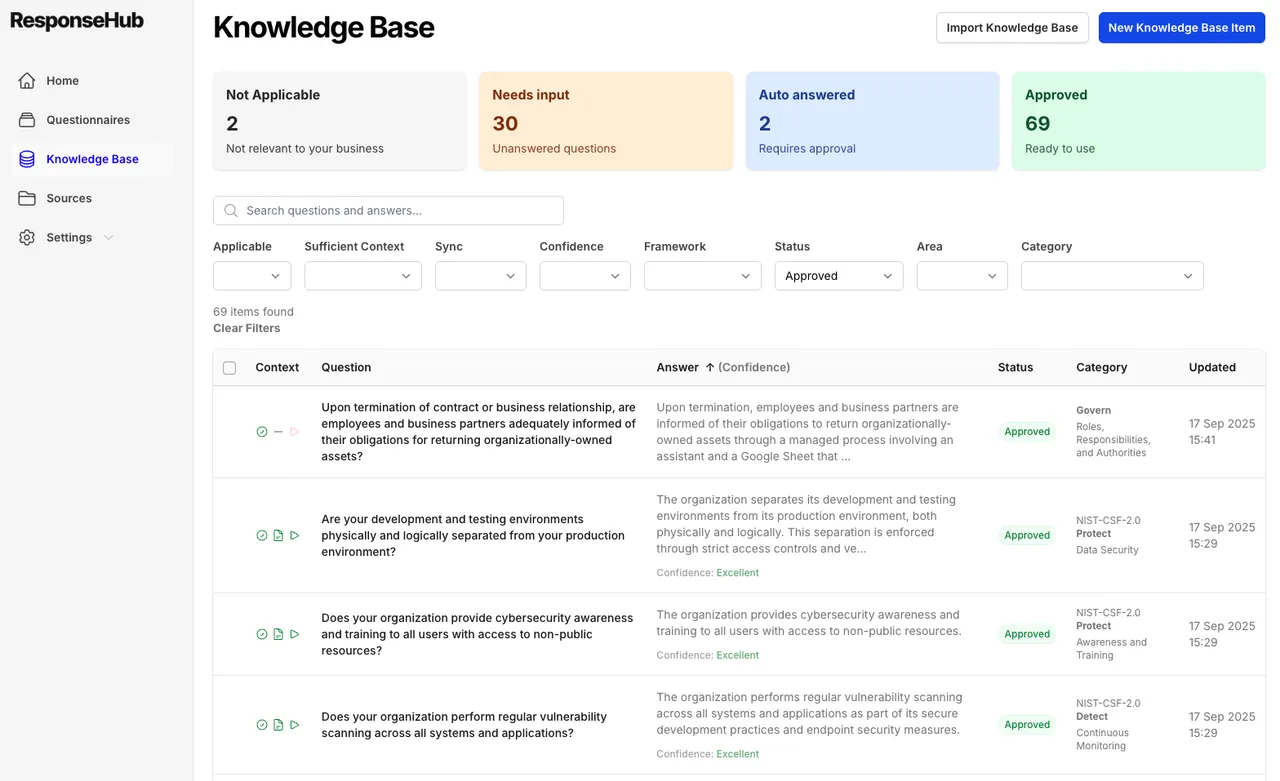
Your Knowledge Base is always up to date with AI-suggested additions from questionnaires and auto updates when new Sources are added.
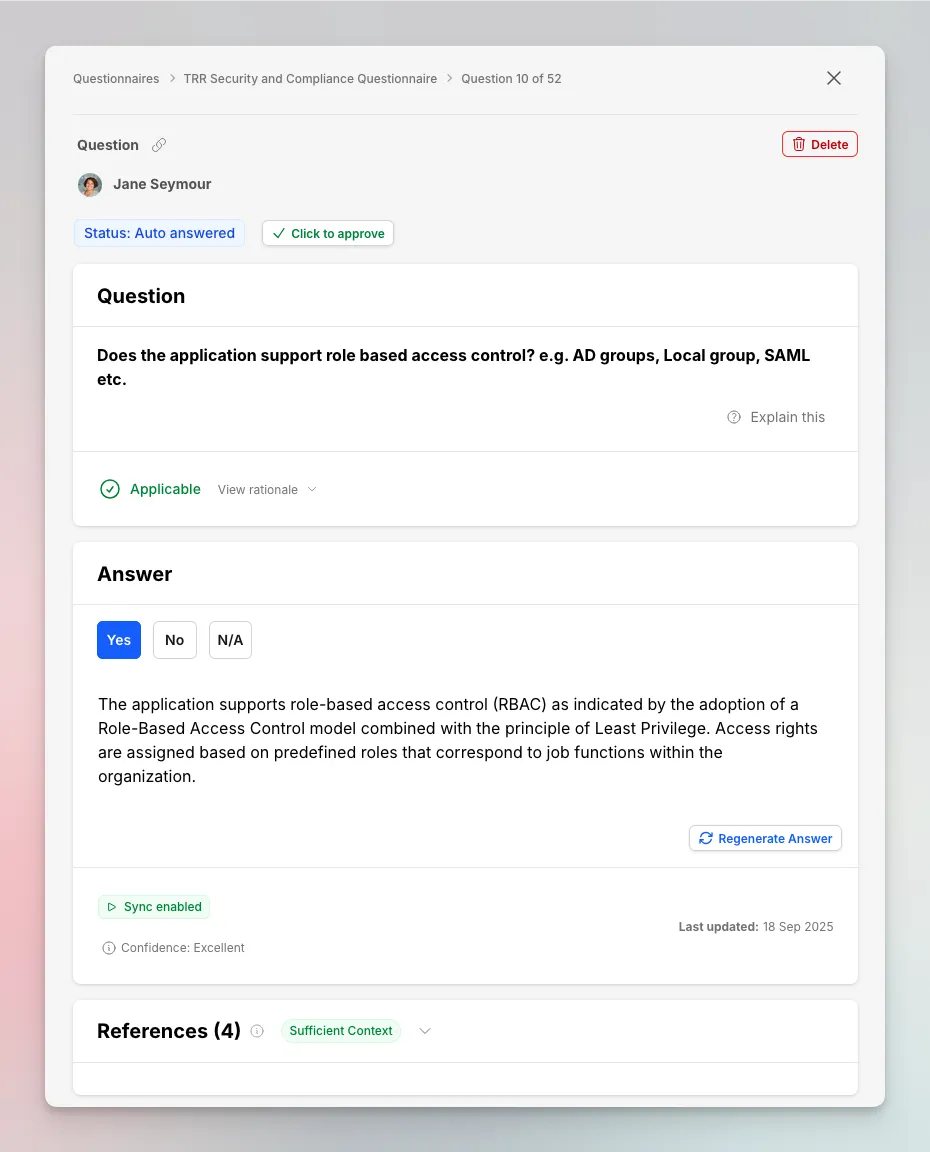
Curious how the answers are generated?
The help center explains how questions are answered from your Sources and Knowledge Base, with confidence ratings and citations you can verify.
A questionnaire that took several days now usually gets done in a morning. Most of the work is reviewing suggested answers rather than writing from scratch.

See how security questionnaire automation works in practice
Get started in under 5 minutes with our self-serve trial or contact us for a demo.
Why security questionnaire automation tools often disappoint
There are plenty of options, but many tools are afterthoughts, bolted on to large compliance suites.
Enterprise GRC bloat
Many automation tools are bundled into large governance or compliance platforms. That often means long setup times, unnecessary features, and paying for far more than you need just to answer questionnaires.
Long sales processes
Some vendors require demos, procurement calls, and multi-week sales cycles, even when you just want to get started and unblock a live deal.
Opaque pricing
Watch out for tools with unclear or confusing pricing models, whether that’s “per questionnaire”, “per question”, or usage limits that only surface once you’re mid-deal.
Shallow feature sets
Security questionnaire automation tools that are part of GRC suites like Vanta and Drata often lack depth - not exporting answers back into the original document, poor question extraction, and lacking tools for managing the knowledge base.
We weren't sure it would actually save time, or if we'd still have to check each response individually. But reviewing is fast. The citations point to the exact supporting text every time, we're not searching a whole policy.

Security questionnaires shouldn't need a compliance team
With ResponseHub, automating security questionnaires doesn't require a dedicated compliance team.
Self-serve, no sales calls required
Get started immediately without demos, procurement cycles, or sales handoffs. Upload your policies, answer your first questionnaire, and keep deals moving.
Built-in explainers and guidance
Security questionnaires assume you know your RPO from your RTO. ResponseHub provides in-product explanations and guidance so non-security specialists can answer confidently and consistently.
Unlimited usage
Simple pricing with unlimited usage. Invite your whole team to ask questions and answer questionnaires.
Chrome Extension for web portals
Answer security questionnaires directly inside web portals like OneTrust, Whistic, and more with our Chrome Extension — no copy-pasting between tabs.
Works with every questionnaire you'll receive
ResponseHub handles standard security frameworks, custom spreadsheets, and vendor-specific portals.

Answer web portal questionnaires with our Chrome Extension
Use the ResponseHub Chrome Extension to answer security questionnaires directly inside web portals like OneTrust, Whistic, and more.
Why teams move away from spreadsheets and GRC suites
As security questionnaires start slowing deals down, teams typically evaluate three very different approaches. Read: 5 ways to automate security questionnaires →
What teams actually get from security questionnaire automation
Get your time back
Most teams spend days pulling together a single security questionnaire. With automation, that work drops to hours, enough time to catch up on your backlog, make your next key hire or just leave work on time.
Close deals and renewals faster
No more waiting for the CTO to finish the questionnaire in order to close the deal or renew your contract.
Consistent, citation backed responses
Have full confidence in your answers, fewer questions to the CTO and fewer follow-up questions from the customer.
Start a 7-day free trial
Start automating questionnaires today, get set up in minutes.
- 7-day free trial
- Cancel anytime
- Full product
Frequently asked questions
How can I be sure the answers are correct?
How is ResponseHub different from Vanta or Drata?
How long does setup take?
We get security questionnaires at unpredictable times, how does billing work?
Can't I just use ChatGPT for this?
Can I try before I buy?
"ResponseHub is the product I wish I'd had when I was a CTO"
Previously I was co-founder and CTO of Progression, a VC-backed HR-tech startup used by some of the biggest names in tech.
As our sales grew, security questionnaires quickly became one of my biggest pain-points — confusing, hard to delegate, and arriving like London buses: three at a time.
I'm building ResponseHub so other teams don't have to go through this. Leave the security questionnaires to us, and get back to closing deals, shipping product and building your team.

Book a demo
Pick a time that works for you
Grab a 30-minute slot straight from the calendar — no forms, no waiting on a reply.
Book a demo